Cybersecurity • Home Technology • Digital Safety

Security for the technology your business and home depend on.

We help small businesses, homeowners, families, and seniors secure everyday technology—from email and Wi-Fi to computers, phones, smart devices, backups, and online accounts.

Clear scopeWritten recommendationsPractical support
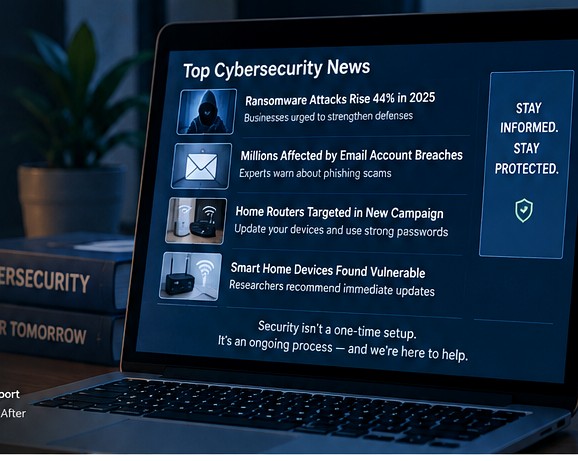
Illustrative cybersecurity briefing displayed on a laptop
Illustrative security briefing
Defined scopeKnow what is being reviewed before work starts.
Plain-language findingsClear priorities instead of technical overload.
Approval firstNo surprise changes to your systems.
Work & homeSecurity support for business and everyday technology.
Services

Two clear ways we can help.

Choose the environment you want to protect. Each service is built around the technology people actually use every day.

01
For small organizations

Business Security

Reduce common security gaps across email, users, computers, Wi-Fi, backups, updates, and administrator access.

  • Email, MFA, and account security
  • User and administrator access review
  • Windows device setup, updates, and maintenance
  • Wi-Fi, router, and guest-network security
  • Backup and recovery checks
Explore business services →
02
For homes, families & seniors

Home, Personal & Senior Security

Set up and secure the devices and accounts throughout your home—from a new router to phones, computers, cameras, and backups.

  • New-home Wi-Fi and router setup
  • Phones, tablets, Windows, and Mac computers
  • Smart TVs, cameras, doorbells, speakers, and hubs
  • OS installation, updates, and routine maintenance
  • Backups, account security, and scam prevention
Explore home & personal services →
How attacks start

Attackers look for the easiest opening.

The goal is not to make security complicated. It is to remove the basic weaknesses attackers routinely take advantage of and make recovery easier if something still goes wrong.

01

Stolen passwords & account takeover

Phishing, reused passwords, and fake login pages can give attackers access to email and cloud accounts.

How we help

MFA, recovery settings, password practices, old-account review, and basic email security checks.

02

Scams & remote-access tricks

Fake bank alerts, urgent invoices, and tech-support calls are designed to make people hand over access.

How we help

Remote-access software review, safer support practices, account hardening, and scam-awareness guidance.

03

Old devices, routers & software

Outdated operating systems, firmware, browsers, and smart devices may contain known weaknesses.

How we help

Updates, firmware checks, OS maintenance, security settings, and connected-device review.

04

Missing or failed backups

Ransomware, accidental deletion, hardware failure, or account lockout is far worse without a working recovery plan.

How we help

Backup setup, status checks, coverage review, and practical recovery planning.

Technology we support

One place for the everyday systems that connect your digital life.

ComputersWindows & Mac
Phones & TabletsiOS & Android
Wi-Fi & RoutersSetup & security
Smart DevicesCameras, TVs & IoT
Operating SystemsInstall & maintain
BackupsLocal & cloud
Email & AccountsMFA & recovery
MaintenanceUpdates & cleanup
Introductory assessment

A practical starting point.

We review the agreed devices, accounts, network, updates, and backups, then give you a clear written summary of what looks good and what needs attention.

Up to 5 computers 1 location Typically 60–90 minutes
$119
  • Security and configuration review
  • Written findings and priorities
  • Recommended next steps
  • Any remediation quoted separately
Request Information
About

Local support with a security-first approach.

Matthew Hyson
Founder / Cyber Security Consultant

Garden State Digital Security is focused on practical cybersecurity and technology support for small businesses and households. Services are built around clear scope, documented findings, and explanations clients can actually use.

Matthew is an M.S. Cybersecurity candidate with an expected completion date of December 2026.

Request information

Tell us what you need help with.

Let us know whether this is for a business or home, the devices involved, and what you want reviewed or set up. Do not send passwords or verification codes.

Phone(609) 453-9898 Email[email protected]
Service areaSouth Jersey

Do not submit passwords, verification codes, banking information, Social Security numbers, or other sensitive credentials.